

Can a small size capacitive touch panel be used in kiosk systems?
In today's digital age, kiosk systems have become ubiquitous in various industries, from retail and hospitality to healthcare and transportation. These self - service terminals offer convenience, efficiency, and enhanced user experiences. One crucial component of a kiosk system is the touch panel, which allows users to interact with the system intuitively. When it comes to touch panels, small size capacitive touch panels have emerged as a viable option, and as a supplier of such products, I'd like to explore whether they can be effectively used in kiosk systems.
Advantages of Small Size Capacitive Touch Panels for Kiosk Systems
1. Space - Saving Design
Kiosk systems are often installed in areas where space is limited, such as small retail stores, airport lounges, or hospital corridors. Small size capacitive touch panels, typically ranging from 7 inches to 10.1 inches, are ideal for these environments. Their compact size allows kiosk manufacturers to design sleek and unobtrusive units that can fit into tight spaces without sacrificing functionality. For example, a 7 inch tft lcd display can be integrated into a wall - mounted kiosk in a hotel lobby, providing guests with easy access to information about hotel services and local attractions.
2. Cost - Effectiveness
Compared to larger touch panels, small size capacitive touch panels are generally more affordable. This cost advantage is significant for businesses looking to deploy multiple kiosks across different locations. Lower hardware costs mean a lower initial investment, which can lead to a quicker return on investment (ROI). Additionally, the reduced power consumption of small touch panels can result in long - term savings on energy bills. For small and medium - sized enterprises, this cost - effectiveness can make the implementation of kiosk systems more feasible.
3. High - Quality Touch Experience
Capacitive touch technology offers a smooth and responsive touch experience. Small size capacitive touch panels are no exception. They can detect multiple touch points simultaneously, enabling gestures such as pinch - to - zoom and swipe, which are commonly used in modern user interfaces. This multi - touch functionality enhances the user experience, making it more intuitive and engaging. For instance, a 10.1 Inch Capacitive Touch Screen Car Radio Dvd demonstrates the high - quality touch performance that can also be applied in kiosk systems, allowing users to navigate through menus and perform tasks with ease.
4. Durability
Kiosk systems are expected to withstand heavy usage and harsh environments. Small size capacitive touch panels are built to be durable. They are typically made with high - quality materials that can resist scratches, fingerprints, and dust. This durability ensures that the touch panel remains functional and visually appealing over a long period, reducing the need for frequent replacements and maintenance.
Challenges and Considerations
1. Screen Real Estate
One of the main challenges of using small size capacitive touch panels in kiosk systems is the limited screen real estate. Displaying a large amount of information or complex user interfaces on a small screen can be difficult. Designers need to carefully optimize the layout to ensure that all essential elements are visible and accessible. This may involve using smaller fonts, reducing the number of menu items, or implementing collapsible sections.
2. Application Compatibility
Some applications may not be fully optimized for small screens. For example, applications with a lot of detailed graphics or complex data visualizations may not display correctly on a small size capacitive touch panel. Kiosk operators need to ensure that the software they choose is compatible with the screen size and can provide a seamless user experience.
3. Visibility in Bright Environments
In some kiosk locations, such as outdoor areas or brightly lit indoor spaces, the visibility of a small touch panel can be a concern. The smaller the screen, the more difficult it may be to see the content clearly, especially in direct sunlight. To address this issue, manufacturers can use anti - glare coatings or high - brightness displays, but these solutions may add to the cost.
Use Cases of Small Size Capacitive Touch Panels in Kiosk Systems
1. Retail Kiosks
In retail stores, small size capacitive touch panels can be used in product information kiosks. Customers can use these kiosks to view product details, check availability, and even place orders. The compact size of the touch panel allows the kiosk to be placed near the products, providing a convenient and interactive shopping experience.
2. Hospitality Kiosks
Hotels and restaurants can use small kiosks with capacitive touch panels for tasks such as check - in, menu ordering, and concierge services. For example, a small touch - enabled kiosk in a hotel lobby can allow guests to check in quickly and access information about hotel amenities, while a table - top kiosk in a restaurant can enable customers to browse the menu and place orders directly.
3. Transportation Kiosks
At airports, train stations, and bus terminals, small kiosks with capacitive touch panels can provide passengers with information about schedules, routes, and ticket purchases. These kiosks can be placed in high - traffic areas without taking up too much space.
Conclusion
In conclusion, small size capacitive touch panels can indeed be used effectively in kiosk systems. Their space - saving design, cost - effectiveness, high - quality touch experience, and durability make them a suitable choice for many applications. However, it is important to address the challenges related to screen real estate, application compatibility, and visibility. With careful planning and design, small size capacitive touch panels can enhance the functionality and user experience of kiosk systems.

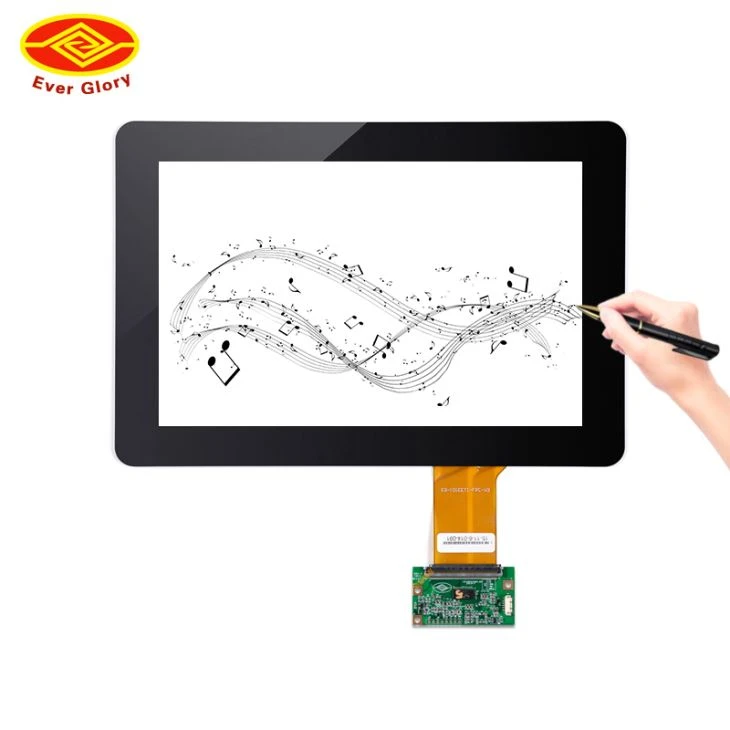
If you are interested in incorporating small size capacitive touch panels into your kiosk systems, I invite you to reach out to me for further discussions and potential partnerships. We can work together to find the best solutions that meet your specific needs and requirements.
References
- [Title of a relevant industry report], [Author], [Publication year]
- [Title of a research paper on touch panel technology], [Author], [Publication year]