

In the contemporary digital era, capacitive touch screens have become an integral part of our daily lives, gracing a wide array of devices from smartphones and tablets to industrial control panels and interactive kiosks. As a leading capacitive touch screen supplier, I am often asked about how these sophisticated interfaces handle various gestures. In this blog post, I will delve into the technical mechanisms behind capacitive touch screen gesture recognition, exploring the underlying principles and the advanced technologies that make it all possible.
The Basics of Capacitive Touch Screens
Before we dive into gesture handling, it's essential to understand the fundamental working principle of capacitive touch screens. A capacitive touch screen consists of a glass panel coated with a transparent conductive material, typically indium tin oxide (ITO). This conductive layer stores an electrical charge. When a human finger, which is also conductive, approaches or touches the screen, it disrupts the electrostatic field of the conductive layer. The touch screen controller detects this change in capacitance at the point of contact and calculates the exact coordinates of the touch.
There are two main types of capacitive touch screens: surface capacitive and projected capacitive. Surface capacitive touch screens use a single layer of ITO on the surface of the glass, while projected capacitive touch screens have multiple layers of ITO etched in a grid pattern. Projected capacitive touch screens are more commonly used today due to their ability to support multi-touch gestures, which we will discuss in more detail later.
Single-Touch Gestures
Single-touch gestures are the most basic form of interaction with a capacitive touch screen. These include simple actions such as tapping, swiping, and long-pressing.
- Tapping: When a user taps the screen, the touch screen controller detects a sudden change in capacitance at the point of contact. The controller then sends a signal to the device's operating system, which interprets the tap as a command, such as opening an app or selecting an item.
- Swiping: Swiping involves moving a finger across the screen in a specific direction. As the finger moves, the touch screen controller continuously tracks the change in capacitance and calculates the direction and speed of the swipe. The operating system then uses this information to perform actions such as scrolling through a webpage or navigating between screens.
- Long-Pressing: A long-press is a sustained touch on the screen for a few seconds. This gesture is often used to trigger context-sensitive menus or perform additional actions. The touch screen controller detects the prolonged change in capacitance and sends a signal to the operating system to initiate the appropriate response.
Multi-Touch Gestures
One of the key advantages of capacitive touch screens is their ability to support multi-touch gestures, which allow users to interact with the screen using multiple fingers simultaneously. Multi-touch gestures enable more intuitive and efficient interactions, such as zooming, rotating, and pinching.
- Zooming: Zooming in or out on a capacitive touch screen is typically achieved by using a two-finger pinch or spread gesture. When two fingers are placed on the screen and moved closer together (pinch), the touch screen controller detects the change in distance between the two points of contact and interprets it as a zoom-out command. Conversely, when the two fingers are moved apart (spread), the controller interprets it as a zoom-in command.
- Rotating: Rotating an object on the screen can be done by using a two-finger rotation gesture. The user places two fingers on the screen and rotates them in a circular motion. The touch screen controller tracks the movement of the two fingers and calculates the angle of rotation. The operating system then rotates the object on the screen accordingly.
- Pinching and Spreading: In addition to zooming, pinching and spreading gestures can also be used to perform other actions, such as resizing an image or adjusting the volume. The touch screen controller detects the change in distance between the two fingers and sends a signal to the operating system to perform the appropriate action.
Advanced Gesture Recognition Technologies
To support more complex and natural gestures, capacitive touch screen manufacturers are constantly developing advanced gesture recognition technologies. These technologies use a combination of hardware and software algorithms to accurately detect and interpret a wide range of gestures.
- Force Touch: Force touch technology allows the touch screen to detect the amount of pressure applied by the user's finger. This enables new types of interactions, such as performing different actions based on the level of pressure. For example, a light tap could select an item, while a harder press could open a context-sensitive menu.
- Hover Detection: Hover detection technology allows the touch screen to detect the presence of a finger or object in close proximity to the screen, even without direct contact. This enables new types of interactions, such as previewing content or performing actions before touching the screen.
- Gesture Learning: Some capacitive touch screens are equipped with gesture learning capabilities, which allow the device to adapt to the user's unique gesture patterns over time. This can improve the accuracy and efficiency of gesture recognition, especially for complex or personalized gestures.
Our Capacitive Touch Screen Products
As a capacitive touch screen supplier, we offer a wide range of high-quality touch screen products that support a variety of gestures. Our 7 Touch Screen Monitor is a compact and versatile solution for applications such as industrial control panels, medical devices, and kiosks. It features a high-resolution display and excellent touch sensitivity, making it ideal for single-touch and multi-touch interactions.
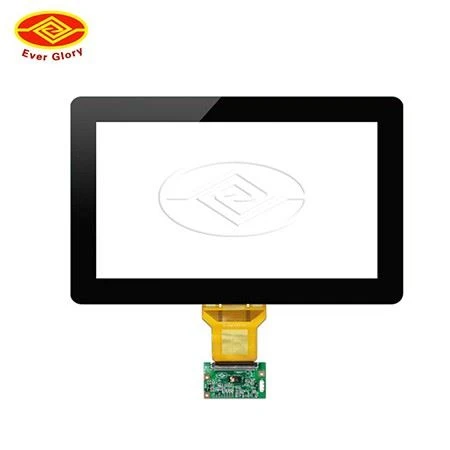

Our Active Stylus Monitor is designed for users who require more precise and accurate input. It supports both finger touch and active stylus input, allowing for a wide range of creative and professional applications. The active stylus provides pressure sensitivity and tilt recognition, enabling users to create detailed drawings and annotations.
For large-scale applications, we offer the Oilproof 50 Inch Touch Screen. This touch screen is designed to withstand harsh environments and is resistant to oil, water, and dust. It supports multi-touch gestures and is ideal for applications such as digital signage, interactive kiosks, and industrial control systems.
Contact Us for Procurement
If you are interested in our capacitive touch screen products or have any questions about gesture recognition technology, please feel free to contact us. Our team of experts is ready to assist you in finding the right touch screen solution for your specific needs. We offer competitive pricing, high-quality products, and excellent customer service. Let's work together to bring your innovative ideas to life!
References
- Wikipedia. (n.d.). Capacitive touchscreen. Retrieved from [Wikipedia URL]
- TechTarget. (n.d.). Capacitive touch screen. Retrieved from [TechTarget URL]
- DisplayMate Technologies. (n.d.). How Capacitive Touch Screens Work. Retrieved from [DisplayMate URL]