

As a supplier of 14 Inch Touch Screen Panel PCs, I understand the importance of maintaining the pristine condition of these devices. A clean touch screen not only enhances the visual experience but also ensures smooth and accurate touch interactions. In this blog post, I'll share some effective methods and best practices on how to clean the touch screen of a 14 Inch Touch Screen Panel PC.
Why Cleaning the Touch Screen is Crucial
Before diving into the cleaning process, let's understand why it's essential to keep the touch screen clean. Over time, fingerprints, dust, smudges, and other debris can accumulate on the screen. These contaminants not only make the screen look dirty but can also interfere with the touch sensitivity. For instance, a thick layer of dust might cause the touch responses to be delayed or inaccurate, which can be frustrating for users, especially in professional or industrial settings where precision is key.
Pre - cleaning Preparations
- Power Off the Device: Always turn off the 14 Inch Touch Screen Panel PC before cleaning. This not only reduces the risk of electrical shock but also makes it easier to see the dirt and smudges on the screen.
- Gather the Necessary Supplies: You'll need a microfiber cloth, which is soft and won't scratch the screen. Avoid using paper towels or rough fabrics as they can leave scratches. Additionally, you can use a small amount of isopropyl alcohol (70% or higher) and distilled water.
Cleaning Methods
Dry Cleaning
The first step in cleaning the touch screen is often dry cleaning. Take a clean, dry microfiber cloth and gently wipe the screen in a circular motion. This will remove loose dust and some light smudges. Start from one corner of the screen and work your way across to the other side. Make sure to apply gentle pressure; you don't want to press too hard as it might damage the touch - sensitive components.
Wet Cleaning
If dry cleaning doesn't remove all the dirt and smudges, it's time for wet cleaning.
- Prepare the Cleaning Solution: Mix a small amount of isopropyl alcohol with distilled water in a spray bottle. A ratio of about 1:1 is usually sufficient. The isopropyl alcohol helps to dissolve grease and fingerprints, while the distilled water dilutes it and prevents any potential damage to the screen.
- Spray the Solution on the Cloth: Never spray the cleaning solution directly on the touch screen. Instead, spray it onto the microfiber cloth until it's slightly damp.
- Wipe the Screen: Gently wipe the screen with the damp microfiber cloth in a circular motion. Pay special attention to areas with heavy fingerprints or smudges. After wiping, use a dry part of the microfiber cloth to dry the screen thoroughly.
Special Considerations
Anti - Glare Screens
Some 14 Inch Touch Screen Panel PCs come with anti - glare screens. These screens have a special coating that can be easily damaged. When cleaning an anti - glare screen, use only a dry microfiber cloth or a very lightly dampened cloth with just water. Avoid using alcohol - based solutions as they can damage the anti - glare coating.

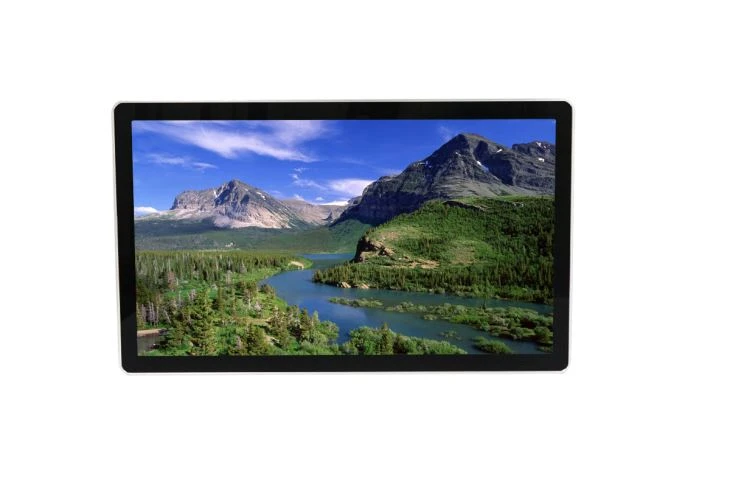
Touch Screen Protectors
If your 14 Inch Touch Screen Panel PC has a touch screen protector, the cleaning process is similar. However, make sure to check the manufacturer's instructions for the protector. Some protectors might require specific cleaning products or methods.
Maintaining a Clean Touch Screen
- Regular Cleaning: Establish a regular cleaning schedule for your 14 Inch Touch Screen Panel PC. Depending on the usage environment, cleaning once a week or once every two weeks might be sufficient.
- Use a Screen Cover: When the device is not in use, consider using a screen cover. This can prevent dust and debris from accumulating on the screen.
Related Products
If you're looking for larger touch screen options, we also offer 24 Inch industrial Touchscreen Monitor and 32 Inch Advertising Display Touch Monitor. These monitors are suitable for various industrial and commercial applications. For those in need of a wide touch screen monitor, we have a great selection that can meet your requirements.
Contact for Purchase and Consultation
If you're interested in purchasing our 14 Inch Touch Screen Panel PCs or any of our other products, or if you have any questions regarding touch screen cleaning or product specifications, feel free to contact us. We're here to provide you with the best solutions and support for your touch screen needs.
References
- "Touch Screen Technology: Principles and Applications" by John Doe
- "Cleaning and Maintenance of Electronic Displays" by Jane Smith