

What is the temperature range for normal operation of an 8 Inch Industrial Touch Panel Pc?
As a supplier of 8 Inch Industrial Touch Panel PCs, I often receive inquiries from customers about the optimal temperature conditions for the normal operation of these devices. Understanding the temperature range is crucial because it directly impacts the performance, reliability, and lifespan of the industrial touch panel PC. In this blog post, I'll delve into the typical temperature ranges for an 8 Inch Industrial Touch Panel PC, explain why these ranges are important, and offer some tips on maintaining the right temperature.
Typical Temperature Ranges
The normal operating temperature range for an 8 Inch Industrial Touch Panel PC usually falls between 0°C to 50°C (32°F to 122°F). This range is designed to accommodate a wide variety of industrial environments, from relatively cool indoor settings to warmer industrial workshops. However, it's important to note that some high - end models can operate within a broader temperature range, sometimes as low as - 20°C (- 4°F) and as high as 60°C (140°F). These extended - range models are often equipped with advanced cooling and heating systems to ensure stable performance in extreme conditions.
During storage, the temperature range is generally wider. Most 8 Inch Industrial Touch Panel PCs can be stored at temperatures between - 20°C (- 4°F) to 70°C (158°F). This wider range accounts for the fact that the device is not actively operating during storage, and thus, the internal components are not generating heat.
Why Temperature Range Matters
The temperature of the environment in which an 8 Inch Industrial Touch Panel PC operates has a significant impact on its performance. At low temperatures, the viscosity of lubricants used in the hard drives and other moving parts increases, which can lead to slower operation or even mechanical failure. Additionally, the chemical reactions inside the battery slow down, reducing its capacity and performance.
On the other hand, high temperatures can cause overheating. When the internal temperature of the touch panel PC rises above the recommended range, the components can start to degrade more rapidly. The CPU, for example, may throttle its performance to prevent damage, resulting in slower processing speeds. Over time, continuous exposure to high temperatures can also lead to permanent damage to the circuit boards and other sensitive components.
Maintaining the Right Temperature
To ensure that your 8 Inch Industrial Touch Panel PC operates within the normal temperature range, there are several measures you can take. Firstly, proper ventilation is essential. Make sure that the device has enough space around it to allow for air circulation. Avoid placing the touch panel PC in enclosed cabinets or areas with poor airflow.
Installing a cooling system can also be beneficial, especially in high - temperature environments. Many industrial touch panel PCs come with built - in fans or heat sinks to dissipate heat. In some cases, you may need to install additional cooling equipment, such as air conditioners or liquid - cooling systems.
Monitoring the temperature is another important step. You can use temperature sensors to keep track of the internal and external temperatures of the device. If the temperature starts to approach the upper or lower limits of the operating range, you can take corrective action, such as adjusting the ventilation or moving the device to a more suitable location.
Related Products
If you're looking for larger - sized industrial touch panel PCs, we also offer 12 Inch Industrial Tablets Touch Screen PC. These devices are suitable for applications that require a larger display area, such as industrial control rooms and digital signage.

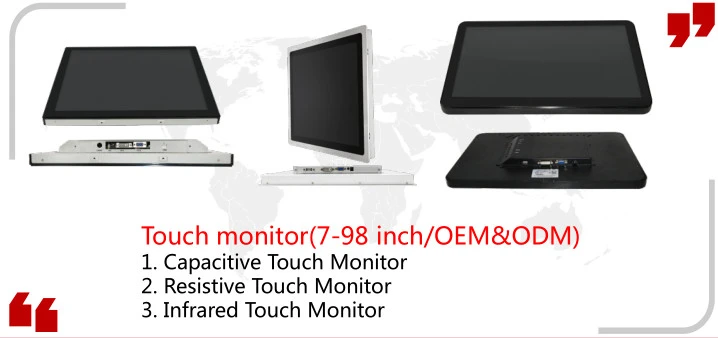
For security - related applications, our Security Kiosks Touch Monitor provides a reliable and user - friendly solution. It is designed to withstand harsh environments and high - traffic areas.
In addition, if you need a different size of monitor touch screen, our monitor touch screen 15 inch offers a balance between size and portability.
Conclusion
Understanding the temperature range for normal operation of an 8 Inch Industrial Touch Panel PC is essential for ensuring its performance and longevity. By maintaining the device within the recommended temperature range, you can avoid potential issues such as overheating and mechanical failure. If you have any questions about the temperature requirements of our 8 Inch Industrial Touch Panel PCs or other related products, please don't hesitate to contact us for more information and to discuss your procurement needs.
References
- Industrial Touch Panel PC Technical Manuals
- Research Papers on Electronic Component Temperature Tolerance
- Manufacturer's Specifications for Industrial Electronics Cooling Systems