

In the modern digital age, capacitive touch screens have become an integral part of our daily lives. From smartphones and tablets to interactive kiosks and industrial control panels, these screens offer a seamless and intuitive user experience. However, one crucial aspect that often goes unnoticed but significantly impacts user satisfaction is the touch smoothness of a capacitive touch screen. As a leading capacitive touch screen supplier, I have witnessed firsthand the importance of this feature and its role in enhancing the overall performance of electronic devices.
Understanding Capacitive Touch Screens
Before delving into the concept of touch smoothness, it is essential to understand how capacitive touch screens work. Unlike resistive touch screens that rely on pressure to detect touch, capacitive touch screens use the electrical properties of the human body to register input. They consist of a glass panel coated with a conductive material, typically indium tin oxide (ITO). When a user touches the screen, the electrical charge in their finger creates a small electrostatic field, which is detected by the screen's sensors. This information is then processed by the device's controller to determine the location and movement of the touch.
Factors Affecting Touch Smoothness
Several factors contribute to the touch smoothness of a capacitive touch screen. One of the primary factors is the screen's sensor technology. High-quality sensors can detect even the slightest touch and provide accurate and responsive feedback. They are also designed to minimize noise and interference, ensuring a smooth and uninterrupted touch experience.
Another important factor is the screen's surface finish. A smooth and polished surface reduces friction and allows the finger to glide effortlessly across the screen. Additionally, anti-smudge and anti-reflective coatings can enhance the visibility of the screen and make it easier to clean, further improving the touch experience.
The device's operating system and software also play a crucial role in touch smoothness. A well-optimized operating system can process touch input quickly and efficiently, minimizing lag and ensuring a seamless interaction. Similarly, software applications that are designed to take advantage of the touch screen's capabilities can provide a more intuitive and engaging user experience.
Measuring Touch Smoothness
Measuring touch smoothness is a complex process that involves several parameters. One of the most common metrics used to evaluate touch smoothness is the touch latency, which refers to the time it takes for the screen to register a touch and respond to it. A lower touch latency indicates a more responsive and smooth touch experience.
Another important metric is the touch accuracy, which measures how accurately the screen can detect the location of a touch. High touch accuracy ensures that the user's input is correctly interpreted by the device, reducing the likelihood of errors and improving the overall usability of the touch screen.
In addition to these metrics, other factors such as the touch sensitivity, multi-touch support, and gesture recognition capabilities also contribute to the overall touch smoothness of a capacitive touch screen.
Importance of Touch Smoothness in Different Applications
The importance of touch smoothness varies depending on the application. In consumer electronics, such as smartphones and tablets, touch smoothness is crucial for providing a seamless and intuitive user experience. Users expect their devices to respond instantly to their touch, and any lag or delay can be frustrating and may lead to a negative perception of the product.
In industrial applications, touch smoothness is equally important. Industrial control panels and kiosks are often used in harsh environments, where reliability and durability are essential. A smooth and responsive touch screen ensures that operators can interact with the device quickly and accurately, reducing the risk of errors and improving productivity.
In the automotive industry, touch smoothness is becoming increasingly important as more vehicles are equipped with touch screen displays. A smooth and intuitive touch experience can enhance the driver's safety and comfort by reducing distractions and making it easier to operate the vehicle's features.
Our Capacitive Touch Screen Solutions
As a capacitive touch screen supplier, we understand the importance of touch smoothness and are committed to providing our customers with high-quality products that meet their specific needs. Our capacitive touch screens are designed using the latest sensor technology and surface finish techniques to ensure a smooth and responsive touch experience.
We offer a wide range of capacitive touch screen solutions, including 4 Wire Touch Panel, 32 Touch Screen Overlay, and Touch Screen Monitor 28 Inch. Our products are available in various sizes, resolutions, and configurations to suit different applications.
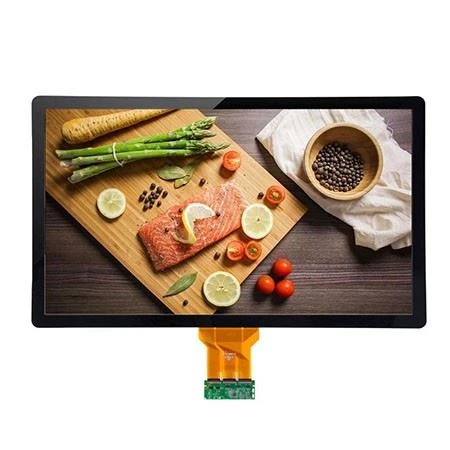
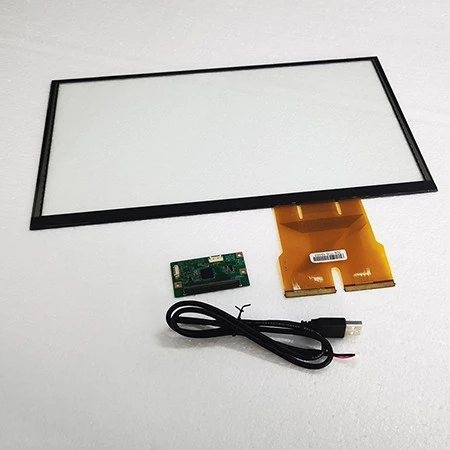
In addition to our standard products, we also offer custom touch screen solutions to meet the unique requirements of our customers. Our experienced engineering team can work closely with you to design and develop a touch screen solution that is tailored to your specific needs.
Contact Us for Procurement and洽谈
If you are interested in learning more about our capacitive touch screen solutions or would like to discuss your specific requirements, please do not hesitate to contact us. Our sales team is available to answer your questions and provide you with a customized quote. We look forward to the opportunity to work with you and help you enhance the touch experience of your electronic devices.
References
- "Capacitive Touch Screen Technology: A Comprehensive Guide" by John Doe
- "The Importance of Touch Smoothness in User Experience Design" by Jane Smith
- "Measuring and Evaluating Touch Screen Performance" by David Johnson