

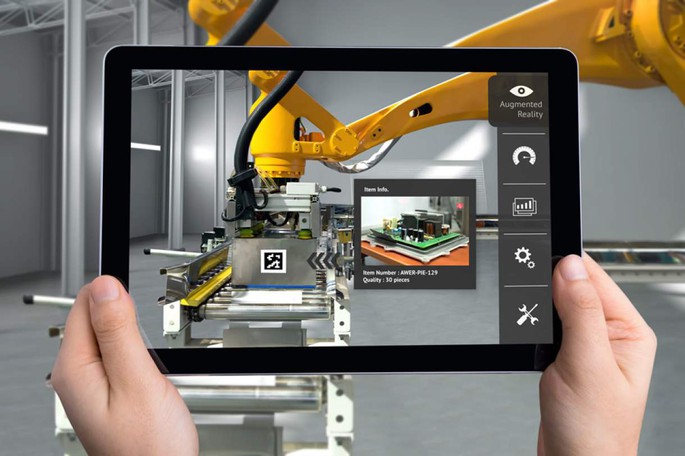
Touchscreens have become an integral part of our daily lives. Whether we're using a smartphone, tablet, or interacting with a self-service terminal, we engage with touchscreens almost every moment. As technology has advanced, touchscreens have found their way into various applications. Today, we will dive into several common touchscreen technologies-especially capacitive and resistive touchscreens-and explore their roles in modern devices and future trends.
Common Touchscreen Technologies
Touchscreen technology comes in various forms, each with its unique working principle. Here are some of the most common touchscreen technologies:
1. Capacitive Touch (Capacitive)
Capacitive touchscreens detect touch through the electrical properties of the human body. When you touch the screen, your body's electrical charge alters the electric field on the surface, which registers the touch. Capacitive touchscreens are highly responsive, support multi-touch, and provide superior display clarity. They are widely used in smartphones, tablets, and self-service terminals.
2. Resistive Touch (Resistive)
Resistive touchscreens are made up of multiple layers that detect touch through pressure. When you apply pressure, the layers make contact, creating an electrical circuit that registers the touch. These screens can be operated with a finger, stylus, or even gloves, making them versatile in different environments. However, they require more pressure to register a touch, and their display quality and sensitivity are lower than capacitive touchscreens.
3. Infrared Touch (Infrared)
Infrared touchscreens use an array of infrared LEDs and photodetectors around the edges of the screen to detect touch. They don't require any physical layers on the surface, which provides high transparency. This technology is often used in applications that require durability and clear displays.
4. Surface Acoustic Wave (SAW)
Surface acoustic wave touchscreens use ultrasonic waves to detect touch. The waves pass over the surface of the screen, and when a finger touches it, the wave pattern changes. While SAW technology provides precise touch detection, it can be affected by dust or dirt in the environment.
5. Optical Imaging Touch (Optical Imaging)
Optical imaging touchscreens use image sensors to detect touch. These screens are often used in large-scale applications such as digital signage and interactive kiosks due to their ability to detect touch without the need for physical layers.
Capacitive Vs. Resistive Touchscreens
While resistive touchscreens still have a place in certain applications, capacitive touchscreens have become the dominant choice in many consumer electronics due to their higher sensitivity and better user experience. Here's a comparison between capacitive and resistive touchscreens:
Resistive Touchscreen
- Pros: Cost-effective, works with stylus, gloves, or any object. Suitable for certain industrial or budget-sensitive applications.
- Cons: Requires more pressure to register touch, slower response time, and lower display clarity.
Capacitive Touchscreen
- Pros: High sensitivity, precision, multi-touch capability, and clear, bright displays. Supports complex gestures.
- Cons: Sensitive to environmental factors like moisture, and may not work with gloves (although advancements are addressing this issue).

The Future Of Touch Technology
As touch technology continues to evolve, capacitive touchscreens are expanding their presence beyond smartphones and tablets. They are increasingly used in self-service terminals, vending machines, electric vehicle (EV) charging stations, and more. One drawback of capacitive touchscreens in the past was their inability to work through gloves or detect water droplets, which could cause false inputs. However, with advancements in touch controllers and firmware, capacitive touchscreens now feature enhanced water rejection technology to ignore water droplets and prevent erroneous touches.
Additionally, capacitive touchscreens have become sensitive enough to work through gloves, opening up new applications in industries such as manufacturing, healthcare, and outdoor equipment-where resistive touch technology was previously the only viable option.
Choosing The Right Touchscreen Technology
As capacitive touchscreens gradually replace resistive touchscreens in many applications, companies must choose the right technology based on their specific needs. For most applications requiring fast response and high-quality displays, capacitive touchscreens are the preferred option. However, in certain specialized environments, such as industrial or rugged applications, resistive touchscreens may still be the better choice.
Both capacitive and resistive touchscreens continue to evolve, making it easier for manufacturers to find the right technology to meet their requirements. Ultimately, the choice of technology will impact the user experience and performance of the final product.
The development of touchscreen technology has revolutionized the way we interact with devices. From capacitive to resistive technologies, and even more advanced infrared and optical imaging solutions, each type of touchscreen technology has its unique application scenarios. As technology progresses, capacitive touchscreens are not only taking over consumer electronics but are also making their way into more industrial and specialized fields, meeting the demands of increasingly complex user interfaces.
If you have any questions or need further details on the pros and cons of different touchscreen technologies, feel free to contact our expert team. We can provide personalized recommendations based on your specific needs.