

In the dynamic landscape of display technology, the demand for interactive and intuitive interfaces has been on a steady rise. Among the various display sizes available in the market, the 28-inch capacitive touch display has emerged as a popular choice for a wide range of applications, from digital signage to industrial control systems. One of the key features that users often look for in a touch display is the support for multi-finger gestures. In this blog post, I will explore whether a 28-inch capacitive touch display supports multi-finger gestures, drawing on my experience as a supplier of these displays.
Understanding Capacitive Touch Technology
Before delving into the topic of multi-finger gestures, it is essential to understand the basics of capacitive touch technology. Capacitive touch screens work by detecting changes in the electrical charge of the human body. When a finger touches the screen, it disrupts the electrostatic field, and the display's controller can determine the exact location of the touch. This technology offers several advantages, including high sensitivity, fast response times, and excellent image clarity.
Multi-Finger Gestures and Their Benefits
Multi-finger gestures refer to the ability of a touch screen to recognize and respond to multiple touch points simultaneously. Common multi-finger gestures include pinch-to-zoom, rotate, swipe, and two-finger scrolling. These gestures provide a more natural and intuitive way of interacting with digital content, enhancing the user experience significantly. For example, in a photo viewing application, users can use a pinch-to-zoom gesture to quickly zoom in or out of an image, while a rotate gesture can be used to change the orientation of the photo.
Does a 28-Inch Capacitive Touch Display Support Multi-Finger Gestures?
The short answer is yes. Most modern 28-inch capacitive touch displays support multi-finger gestures. This is made possible by the advanced touch controllers integrated into these displays, which are capable of detecting and processing multiple touch points accurately. The number of supported touch points can vary depending on the specific model and manufacturer, but many 28-inch capacitive touch displays support at least 10 touch points, allowing for complex multi-finger gestures.
Factors Affecting Multi-Finger Gesture Support
While most 28-inch capacitive touch displays support multi-finger gestures, there are several factors that can affect the performance and reliability of these gestures. These factors include:
- Touch Controller Quality: The quality of the touch controller plays a crucial role in determining the accuracy and responsiveness of multi-finger gestures. High-quality touch controllers are designed to handle multiple touch points simultaneously, with minimal interference or ghost touches.
- Screen Resolution: Higher screen resolutions can make it more challenging for the touch controller to accurately detect and process multiple touch points. However, most modern 28-inch capacitive touch displays have high-resolution screens that are optimized for multi-touch applications.
- Environmental Conditions: Environmental factors such as temperature, humidity, and electromagnetic interference can also affect the performance of multi-finger gestures. For example, extreme temperatures can cause the touch screen to become less sensitive, while electromagnetic interference can disrupt the touch signals.
Applications of 28-Inch Capacitive Touch Displays with Multi-Finger Gesture Support
The support for multi-finger gestures makes 28-inch capacitive touch displays suitable for a wide range of applications. Some of the common applications include:
- Digital Signage: In digital signage applications, multi-finger gestures can be used to provide an interactive and engaging experience for viewers. For example, users can use pinch-to-zoom and swipe gestures to explore product catalogs, view maps, or access additional information.
- Industrial Control Systems: In industrial control systems, multi-finger gestures can be used to operate machinery, monitor processes, and access control panels. The intuitive nature of multi-finger gestures makes it easier for operators to interact with complex systems, improving efficiency and reducing the risk of errors.
- Interactive Kiosks: Interactive kiosks are widely used in retail, hospitality, and transportation industries to provide information and services to customers. Multi-finger gestures can be used to navigate through menus, search for information, and complete transactions.
- Education and Training: In educational and training settings, multi-finger gestures can be used to enhance the learning experience. For example, students can use pinch-to-zoom and rotate gestures to explore 3D models, view scientific diagrams, or interact with virtual simulations.
Comparison with Other Display Sizes
When considering a touch display for a specific application, it is important to compare the features and capabilities of different display sizes. While 28-inch capacitive touch displays offer excellent support for multi-finger gestures, other display sizes may also be suitable depending on the requirements of the application.

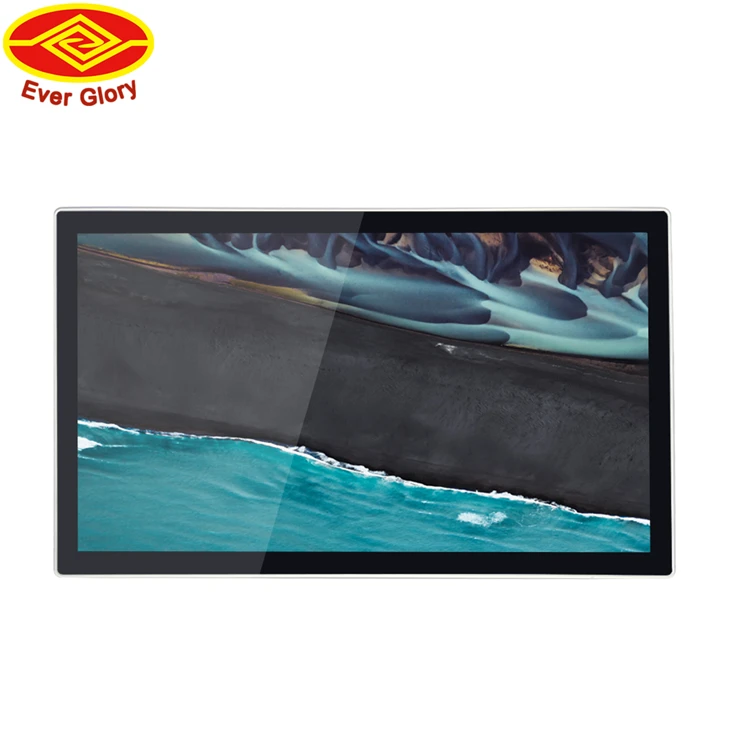
- 21.5 inch touch screen monitor: 21.5-inch touch screen monitors are a popular choice for applications where space is limited. These monitors offer a good balance between size and performance, and many models support multi-finger gestures.
- 7 Inch Small Touch Screen TFT LCD Monitor: 7-inch small touch screen TFT LCD monitors are commonly used in portable devices and embedded systems. While these monitors may have limited support for multi-finger gestures due to their small size, they are still suitable for applications that require basic touch interaction.
- 32 Inch LCD Touch Monitor: 32-inch LCD touch monitors are larger than 28-inch displays and offer a more immersive viewing experience. These monitors are often used in applications such as digital signage, interactive kiosks, and industrial control systems, and they typically support multi-finger gestures.
Conclusion
In conclusion, a 28-inch capacitive touch display generally supports multi-finger gestures, thanks to the advanced touch controllers integrated into these displays. The support for multi-finger gestures provides a more natural and intuitive way of interacting with digital content, enhancing the user experience significantly. However, the performance and reliability of multi-finger gestures can be affected by several factors, including the quality of the touch controller, screen resolution, and environmental conditions.
If you are considering purchasing a 28-inch capacitive touch display for your application, it is important to choose a high-quality display that is optimized for multi-touch applications. As a supplier of 28-inch capacitive touch displays, we offer a wide range of products that support multi-finger gestures and are suitable for various applications. If you have any questions or would like to discuss your specific requirements, please feel free to contact us. We look forward to working with you to find the perfect touch display solution for your needs.
References
- "Capacitive Touch Screen Technology: Principles and Applications." IEEE Transactions on Electron Devices.
- "Multi-Touch Technology: A Review of Current Trends and Future Directions." Journal of Display Technology.
- "Touch Screen Displays: Design, Performance, and Applications." Wiley-IEEE Press.