

What is the brightness level of All In One PC screens?
As a supplier of All In One PCs, I often get asked about the brightness levels of our screens. The brightness of an All In One PC screen is a crucial factor that can significantly impact the user experience, whether it's for home use, office work, or industrial applications. In this blog post, I'll delve into what brightness levels mean, how they affect your usage, and what to consider when choosing an All In One PC based on screen brightness.
Understanding Brightness Levels
The brightness of a screen is typically measured in nits, which is a unit of luminance equal to one candela per square meter (cd/m²). A higher nit value means a brighter screen. For most All In One PCs, brightness levels can range from around 200 nits to over 500 nits.
Screens with lower brightness levels, around 200 - 250 nits, are usually sufficient for indoor use in a dimly lit environment. These are great for home theaters or bedrooms where the lighting is controlled, and you're mainly using the PC for watching movies, reading e - books, or light web browsing.
On the other hand, screens with higher brightness levels, 300 nits and above, are more versatile. They can handle well - lit office environments or rooms with a lot of natural light. For example, if you're working in an office with large windows, a screen with 350 - 400 nits will make it easier to see the content clearly without glare.
Ultra - bright screens, with 500 nits or more, are ideal for industrial settings or outdoor use. In industrial environments, there may be a lot of ambient light from machinery or overhead lighting. And for outdoor kiosks, a high - brightness screen ensures that the information is visible even in direct sunlight. Take a look at our Security Kiosks Touch Monitor, which is designed to have a high - brightness screen to meet the demands of security and public - facing applications.
Impact on User Experience
The brightness level of an All In One PC screen has a direct impact on the user experience. A screen that is too dim can cause eye strain, especially when used for long periods. When the screen isn't bright enough to contrast well with the surrounding environment, your eyes have to work harder to distinguish the text and images. This can lead to headaches, fatigue, and decreased productivity.

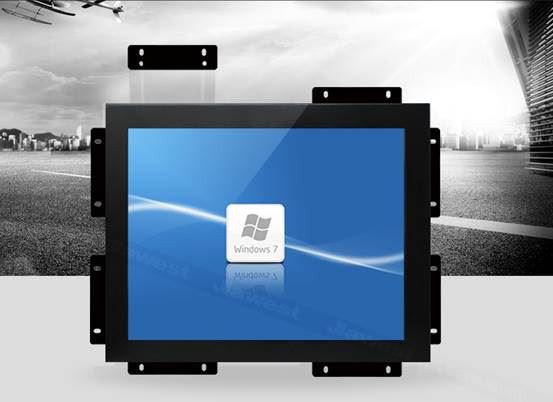
Conversely, a screen that is too bright can also be uncomfortable. In a dark room, an overly bright screen can cause glare and make it difficult to focus. It can also disrupt your sleep patterns if you use the PC before bedtime, as the bright light can suppress the production of melatonin, a hormone that regulates sleep.
For tasks that require high - precision work, such as graphic design or video editing, an appropriate brightness level is essential. Designers need to see the colors and details accurately, and a screen with the right brightness can ensure that the final output looks as intended. Our 17 Inch Touch Screen PC Android offers a balanced brightness level that is suitable for a variety of creative tasks.
Factors Affecting Brightness Requirements
Several factors should be considered when determining the appropriate brightness level for an All In One PC.
Environment: As mentioned earlier, the lighting conditions of the environment where the PC will be used are a major factor. If you're using the PC in a home office with adjustable lighting, you may have more flexibility in choosing a screen with a moderate brightness level. However, if it's for a public space or an industrial area, a high - brightness screen is necessary.
Usage: The type of tasks you'll be performing on the PC also matters. For general web browsing and word processing, a lower - brightness screen may be sufficient. But for gaming, watching high - definition videos, or working with visual media, a brighter screen can enhance the experience.
Display Technology: Different display technologies can affect the perceived brightness. For example, LED - backlit LCD screens are commonly used in All In One PCs. They offer good brightness levels and energy efficiency. OLED screens, on the other hand, can provide deep blacks and high contrast ratios, which can make the content appear brighter even at lower nit levels.
Choosing the Right Brightness for Your All In One PC
When choosing an All In One PC, it's important to match the brightness level with your specific needs. If you're unsure, consider the following steps:
- Assess Your Environment: Take note of the lighting conditions in the room where you'll be using the PC. Measure the amount of natural light and artificial light present. If there's a lot of sunlight or bright overhead lighting, opt for a higher - brightness screen.
- Determine Your Usage: Think about the types of tasks you'll be doing. If you're a professional in a creative field, you may need a screen with a high brightness level and accurate color representation. For casual users, a more moderate brightness may be sufficient.
- Read Reviews: Look for reviews of different All In One PCs to see what other users have to say about the screen brightness. This can give you an idea of how the screen performs in real - world situations.
Our company offers a wide range of All In One PCs with different brightness levels to meet the diverse needs of our customers. Whether you're looking for a 7 Industrial Touch Panel Pc for a rugged industrial environment or a sleek home - use All In One PC, we have the right solution for you.
Contact Us for Procurement
If you're interested in purchasing an All In One PC and need more information about the brightness levels or other features, we're here to help. Our team of experts can guide you through the selection process and ensure that you get the perfect All In One PC for your requirements. Don't hesitate to reach out to us for procurement discussions. We're committed to providing high - quality products and excellent customer service.
References
- "Display Technology and Its Impact on User Experience" - Journal of Visual Computing
- "The Importance of Screen Brightness in Different Environments" - International Journal of Human - Computer Interaction